October 27, 2026
Bring your Camp Leaders hires into Campfront
Connect your Camp Leaders account, and the staff you confirm there arrive in Campfront with their dates, pay, and documents, ready to review and add to your team. You can also search Camp Leaders for any open role from your staffing board.
Connect your account
Connect from Integrations in Camp settings, using your Camp Leaders employer account. Anyone whose role can edit settings can connect or disconnect it.
Review each hire before it’s added
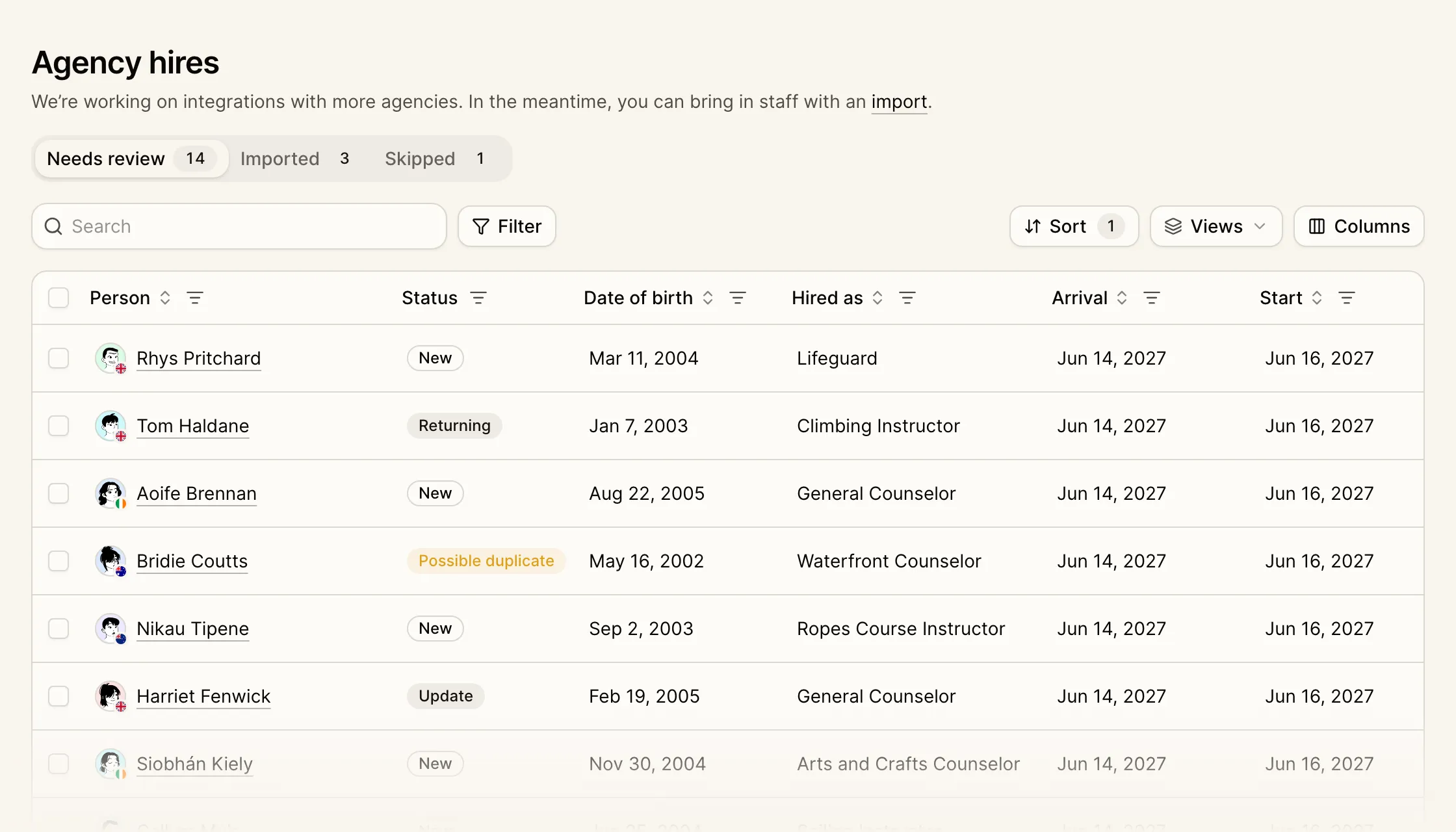
Confirmed hires appear in Agency hires, under Staff in the sidebar, within a few minutes. Each shows the job they were hired for, their gender and date of birth, and their arrival, start, and end dates. Nothing is added to your staff until you review it.
Import a hire to add them to your staff at the Offered stage, with their documents and references attached. Campfront doesn’t send them an invitation. Import up to 100 hires at once into the same role.
Returning staff and duplicates. Hires Camp Leaders has sent you before, or who already have a staff account with you, are marked Returning. Anyone with the same name and date of birth as someone on your staff is marked Possible duplicate, for you to link or keep separate.
Changes from Camp Leaders. When a hire’s details change at Camp Leaders, they come back marked Update, with what’s in Campfront next to what Camp Leaders sent. Accept the changes you want, or skip the update. Anything you leave unticked is remembered, and later updates and bulk imports skip it too.
Search Camp Leaders from your staffing board
Each open slot on your staffing board links to Camp Leaders’ staff search, filtered to that role’s dates, department, gender, and contract type, and to over-21s when the role requires it.
Who can use it. Viewing Agency hires needs staff access, and opening a hire also needs financials access, because hires include pay. Importing needs edit access to both.