October 27, 2026
Expand the assistant and return to past chats
On a laptop or desktop, expand the AI assistant over the page when you want more room to read and write. Open it with Ask AI or Cmd+J (Ctrl+J on Windows) and expand it from its header. The chat moves to the center of the screen, with your chat history beside it and your sidebar still in view. Collapse takes you back to the page you were on, right where you left it.
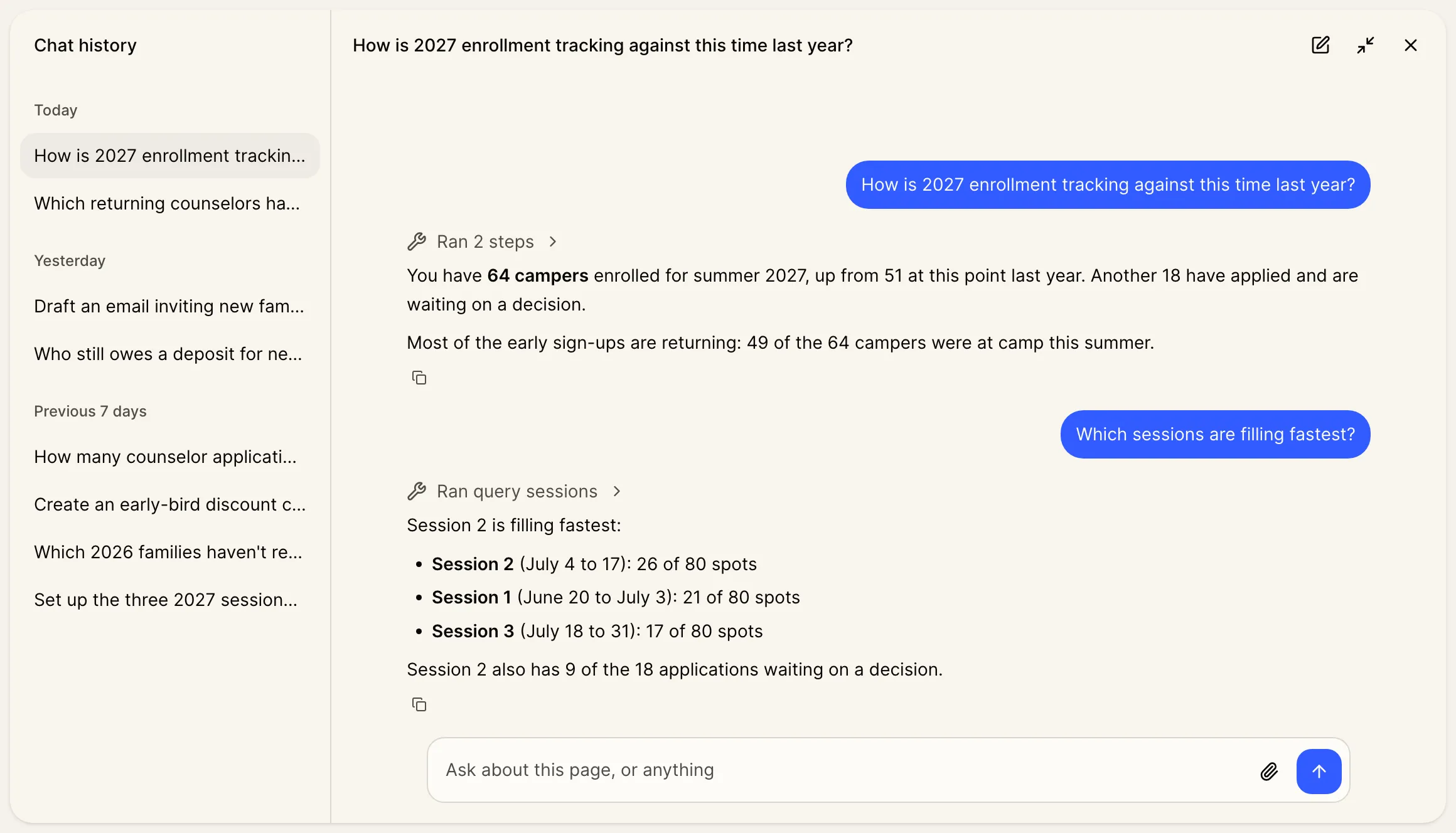
Pick up any past chat
Chat history lists your recent chats. Open one to carry on where you left off, or use its menu to rename or delete it.
The side panel’s title menu now also lets you rename the current chat, or open All chats to see the rest.
On a phone or tablet. The assistant already fills the screen there. All chats in its title menu shows your chat history.
A fresh chat after a break. If your last chat was more than 2 hours ago, the assistant now opens a new one. Your earlier chat is in Chat history.