October 27, 2026
Sell tickets to your camp's events
Create an event, share its page, and sell tickets from Campfront. Anyone with the link can book and pay without logging in. Manage it all from the new Events section of your sidebar, with each event’s bookings, payments, and attendees.
Set up the event
Add the dates, location, and capacity, then a description and your branding: a header image, your logo, and your brand color. Create ticket types, each with its own price, capacity, limit per booking, and an age range to show buyers, and hide a ticket until someone enters an access code. Offer add-ons with a ticket, or after someone has booked.
Discounts. Create codes, early bird pricing before a date, or money off when someone books a minimum number of tickets. Take a percentage or a fixed amount, per ticket or per order.
Forms. Attach forms to a ticket and choose whether they’re completed during checkout or after booking.
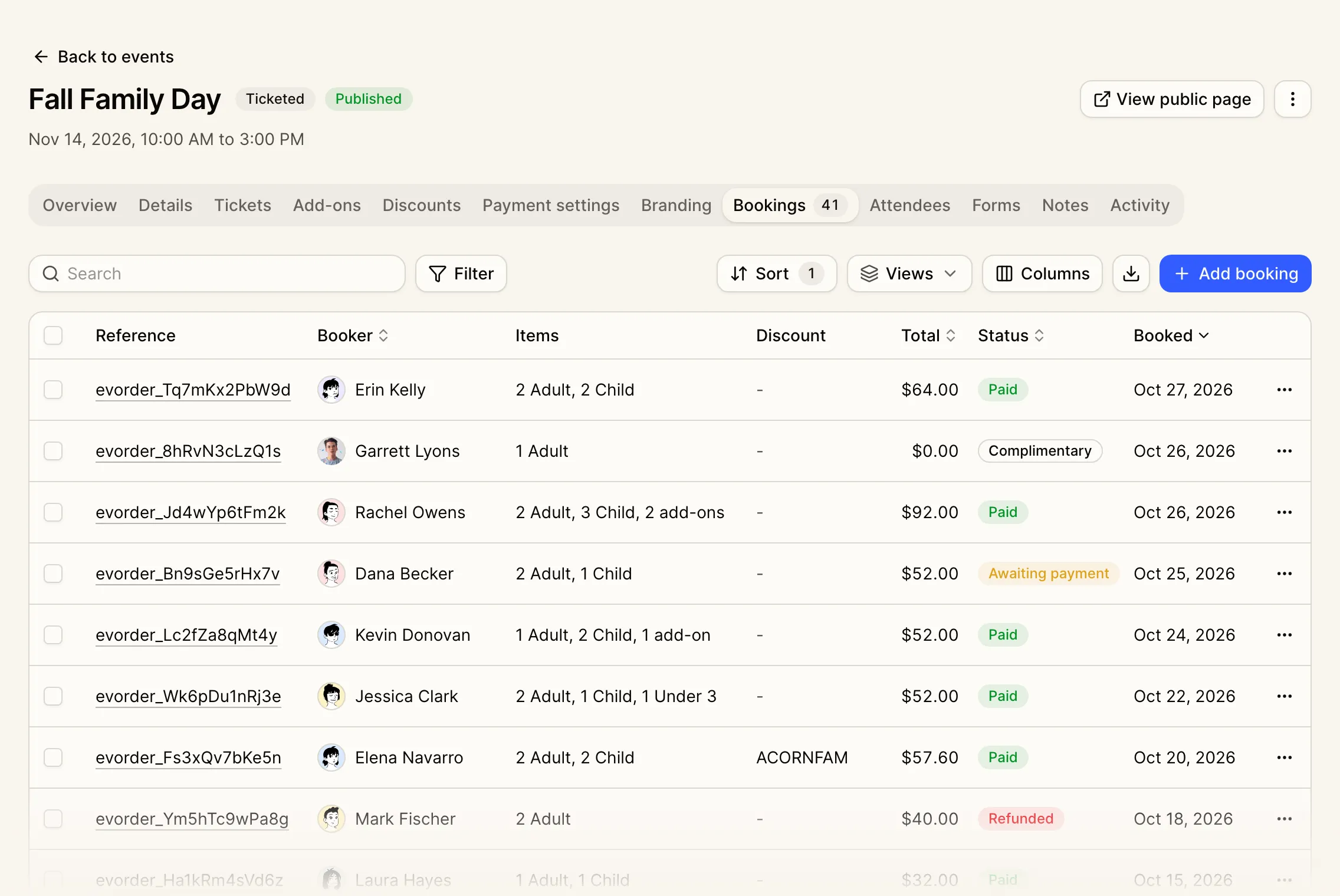
Bookings, payments, and refunds
Buyers pay by card, straight to your Stripe account, and agree to your booking terms before they pay. They get a confirmation email with a link to manage their booking, and can transfer a ticket to someone else. When the buyer’s email matches a parent account, the booking also shows in their parent portal.
The Bookings tab shows gross sales, fees, and your net after Campfront fees. Add a complimentary booking, record a cash, check, or wire payment, send a payment request, or refund a booking in full or in part. Email or text bookers and attendees from the Bookings and Attendees tabs.
Pay later. Let buyers spread the cost with Klarna, Afterpay, or Affirm. You’re paid in full when they book, and each method is turned on in your Stripe account.
Check people in at the door
Each attendee gets a ticket with a QR code, which they can add to Apple Wallet or Google Wallet. On event day, check people in from your phone: scan tickets with its camera, type in a ticket’s code, or check people off the list as they arrive.
Who can use it. Owners and Admins can manage events. Give other roles access in Roles settings.