August 6, 2026
A new AI assistant, everywhere in Campfront
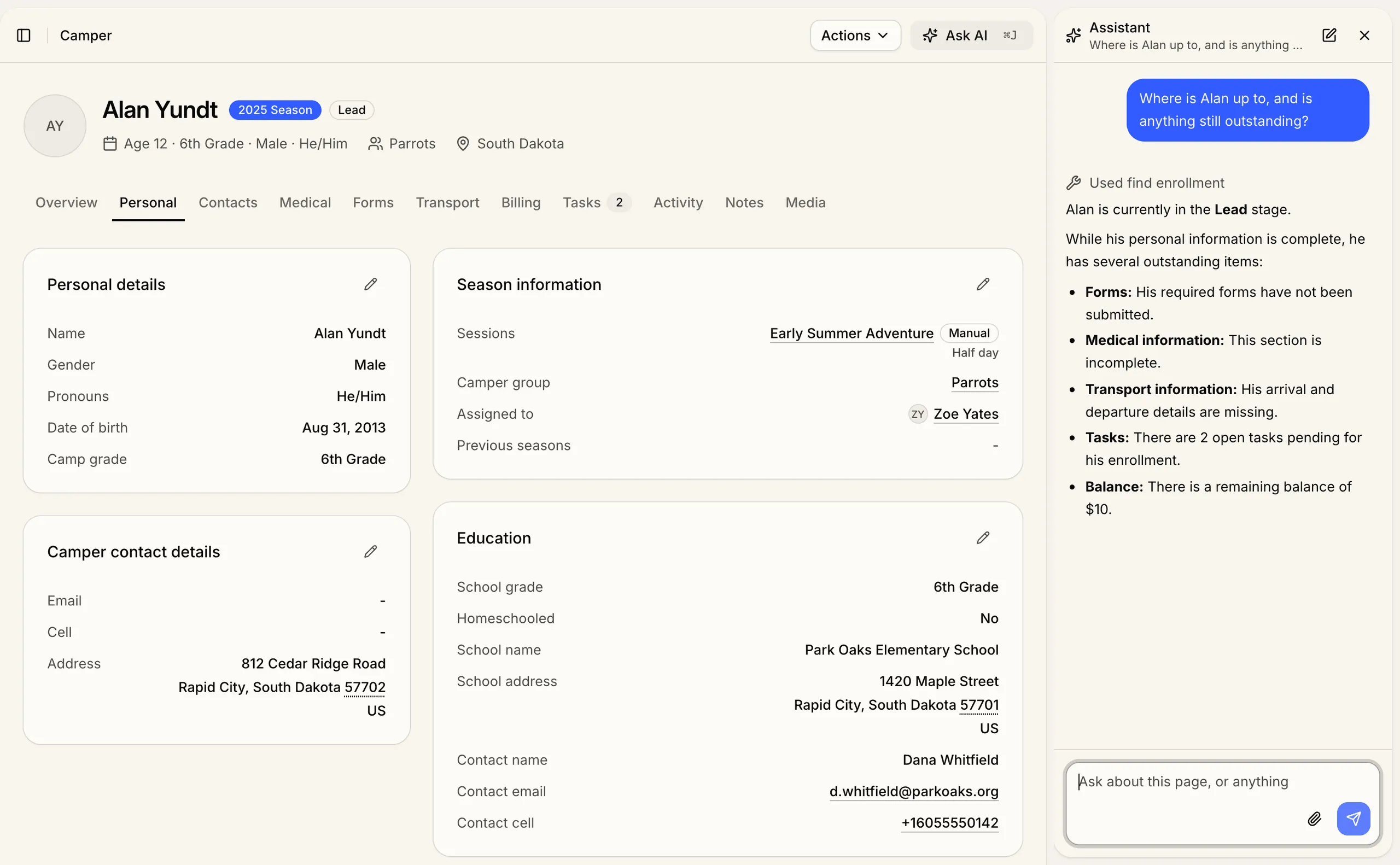
Campfront’s built-in AI assistant used to live in a single panel on the dashboard. It now opens anywhere in the admin with Cmd+J (Ctrl+J on Windows) and stays beside you while you work, so the conversation survives the jump from a grid to a profile to settings.
It also reads the screen you’re on, which saves you spelling out what you mean. Open a camper, ask what he’s signed up for this summer, and it knows who you’re asking about.
What you can ask it
Things it handles in one sentence:
- Find every camper in the Parrots camper group who still owes money
- Break down this season’s enrollments by stage
- Tell me which staff haven’t signed their contract
- Move Alan up to 7th grade for this season
- Add a note that his family called about pickup times
- Show me how to send a broadcast to parents
Faster, sharper answers
It pairs the screen you’re on with the latest models, so answers come back quickly and reliably. It can now update camper and enrollment records as well as read them, and look up payments and transactions. It checks with you before it changes anything, so you stay in control.
How your data is handled
The assistant works inside the permissions you already have, so it sees only what your role allows and never reaches past your own camp. It connects over the same secure MCP tooling Campfront already uses. Your conversations stay in Campfront and aren’t retained or used for training by AI models.
Out today
It’s available to all admin users from today.