October 24, 2026
Design emails with drag and drop or your own HTML
Broadcasts and templates now come with a new drag-and-drop builder, or you can code your own in HTML. When you write an email, choose Plain text, Drag and drop, or Code your own (HTML) under Email type. It works in broadcasts, templates, and emails you send from a profile or a table.
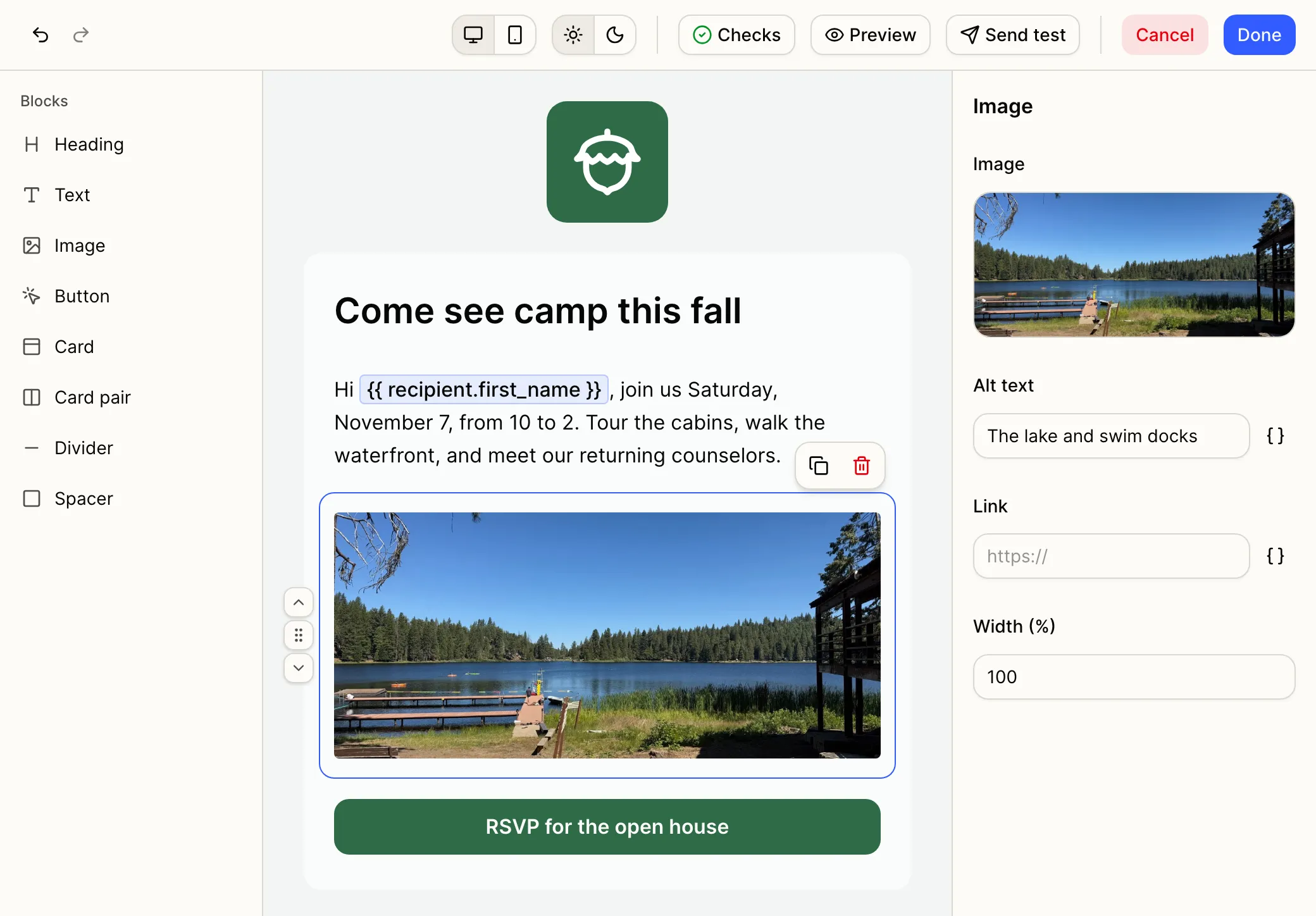
Build it with drag and drop
Select Edit email to open the builder full screen. Add headings, text, images, buttons, cards, dividers, and spacers, and arrange them without code. Select Done to keep your changes, then save the email as usual. Cancel discards them.
Every drag-and-drop email starts with your logo, brand colors, and social links from Branding, and your website and address from your camp profile. Use Email styles to change the colors for one email. Turn on Customize for this email in the header to change the logo, or in the footer to hide social links or change the mailing address. Attach files with Add files, up to 8 MB in total.
Styled templates you made before open in the drag-and-drop builder, or as Code your own (HTML) when they can’t be converted. Nothing changes until you save them.
Or code your own
Paste HTML, import an .html file, or drop one onto the page. Pick a tag from Merge tags to add it where your cursor is.
Check it before it sends
Switch between desktop and mobile, and light and dark, as you build. Select Preview to see the email as a recipient will, with merge tags filled in with sample details.
Checks flags problems before you send: spam words in your subject, low-contrast colors, buttons without a link, images without alt text, and merge tags the email can’t fill.
A new way to view your templates
Email templates now open as a grid of thumbnails, with search, filters, and sorting. Switch to Table for the list view. When you add a template to a drag-and-drop or HTML email, Choose a template opens full screen, with a Preview on every card.