October 24, 2026
Reword your camp's system emails
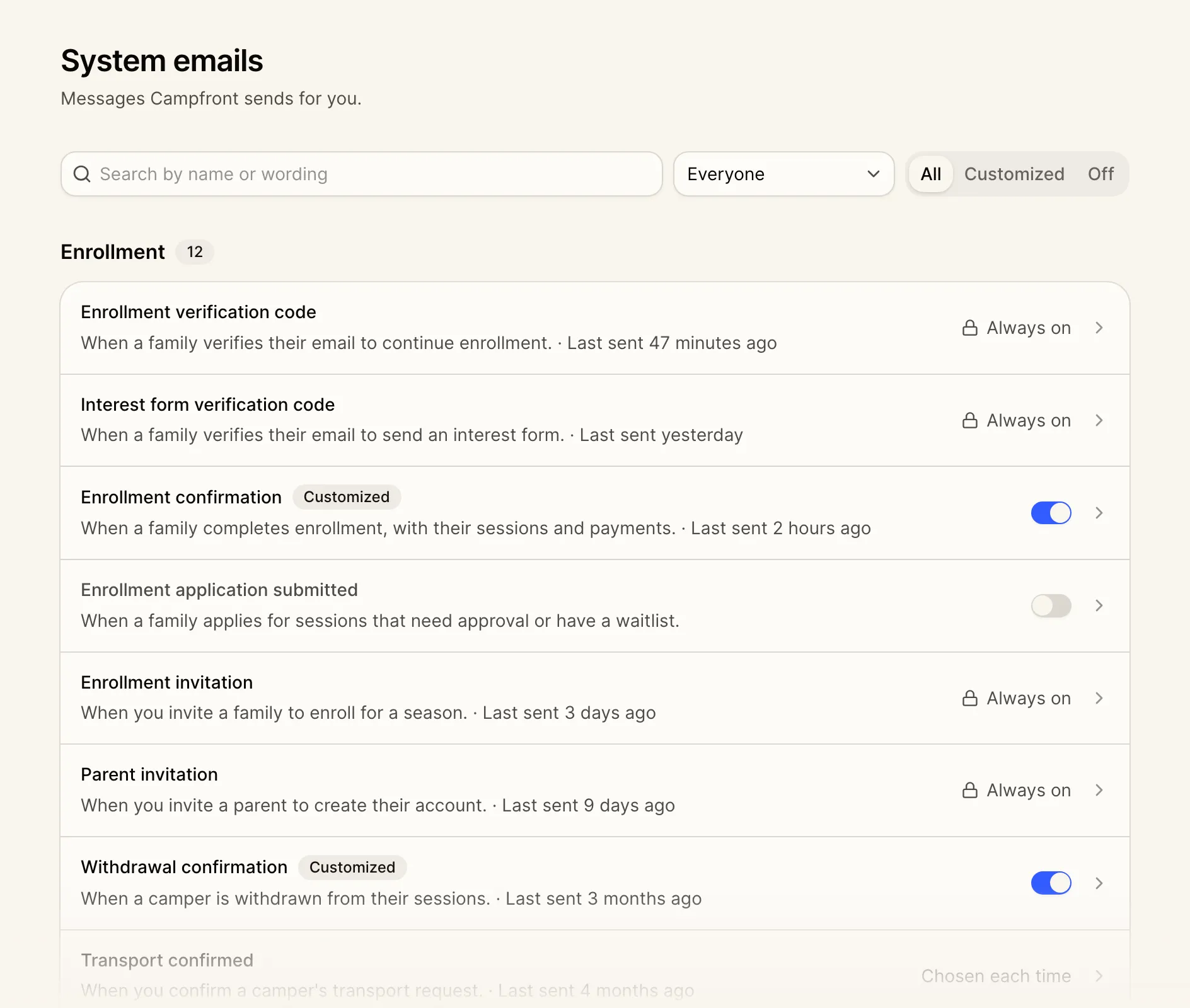
Edit the system emails Campfront sends on your camp’s behalf, and turn off the ones you don’t need. Open Messaging, then System emails, to see the 79 you can edit, grouped into Enrollment, Call bookings, Staff hiring, Medical, Events, Payments, and Updates and reminders. Once an email goes out, it shows when it was last sent.
Edit the content
Open an email to edit it as it will look, with your logo and footer. Change the subject, the message, and any button text, and use merge tags in any of them. Locked cards hold the details Campfront fills in, including enrollment summaries, payment details, and schedules. They show a sample while you edit, and you can move them but not remove them.
Select Send test to get the email in your own inbox with sample details, before you save. Reset to default puts back Campfront’s wording.
Turn off what you don’t use
Switch off any of the 47 optional emails. You’ll be asked to confirm, and the Off tab lists everything you’ve turned off. Emails people need to act on are Always on, including invitations, offers, contracts, reference requests, and verification codes. Automatic invoices and payment reminders are set per season in Payment settings. Health center emails are turned on in Medical settings and chosen on each log. Others, including form rejections, you choose each time you send one.
Who can make changes. Anyone whose role can edit settings, which includes owners and admins. Emails that show money also need financials access. Changes apply across your camp, and every email keeps your camp’s branding.